
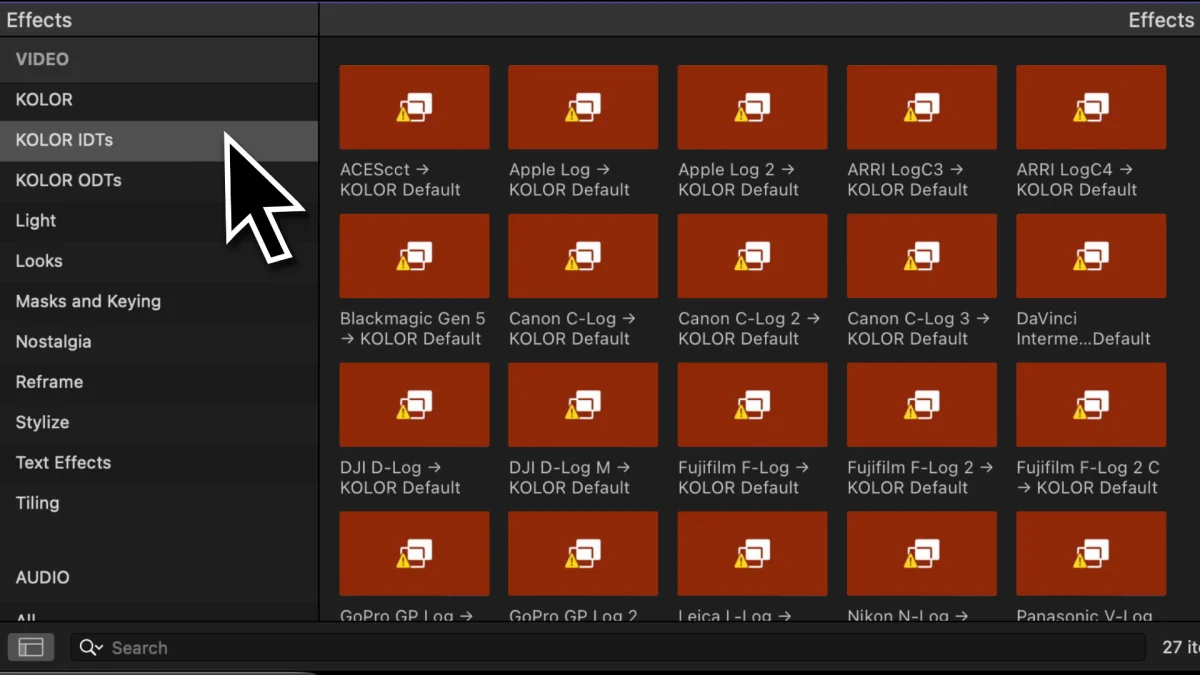
What causes this issue?
When a new plugin is installed or you save a new preset, Final Cut Pro generates a thumbnail for this preset or plugin and caches it.
If the creation went wrong once, the “Missing Media” screen will be displayed despite everything working properly.
Final Cut Pro does not refresh these thumbnails on its own, so you need to force Final Cut Pro to recreate them.
Where are these files stored?
Depending you your Final Cut Pro installation the Effect Browser Thumbnails are stored in one of these three locations:
Location 1
~/Library/Containers/com.apple.FinalCut/Data/Library/Caches/Effect\ Browser\ Thumbnails \Location 2
~/Library/Containers/com.apple.FinalCutApp/Data/Library/Caches/Effect\ Browser\ Thumbnails \Location 3 – For Final Cut Pro’s trial version only
~/Library/Containers/com.apple.FinalCutTrial/Data/Library/Caches/Effect\ Browser\ ThumbnailsFun fact: You cannot be sure whether Final Cut Pro uses com.apple.FinalCut or com.apple.FinalCutApp so you need to check manually which directory exists.
Delete cached Effect Browser Thumbnails via Finder
Before you start, quit Final Cut Pro.
Open Finder and click on “Go”.
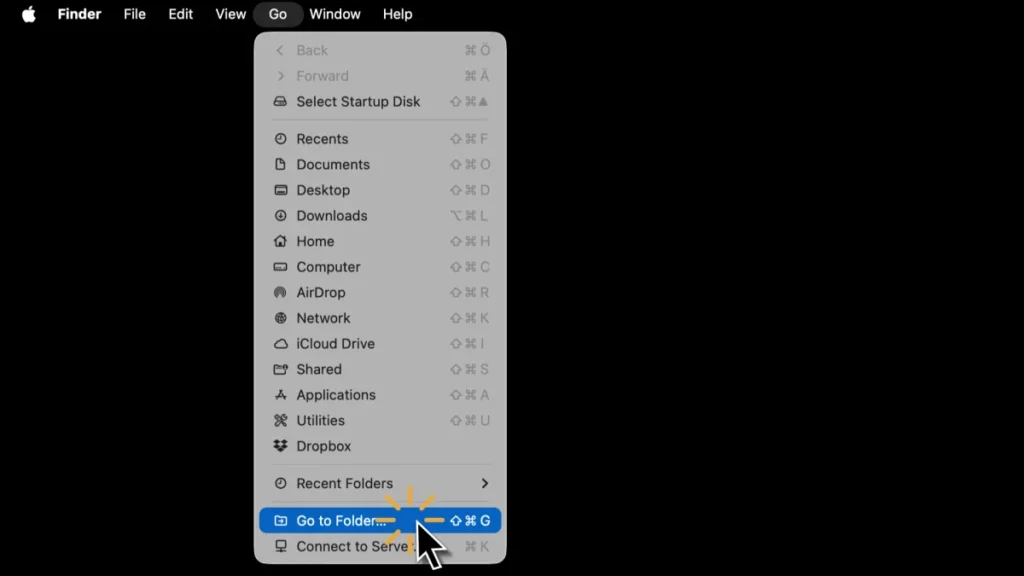
Then copy and paste one destination at a time and see which one yields a result. If Finder shows a result, go there and delete the entire folder called “Effect Browser Thumbnails”.
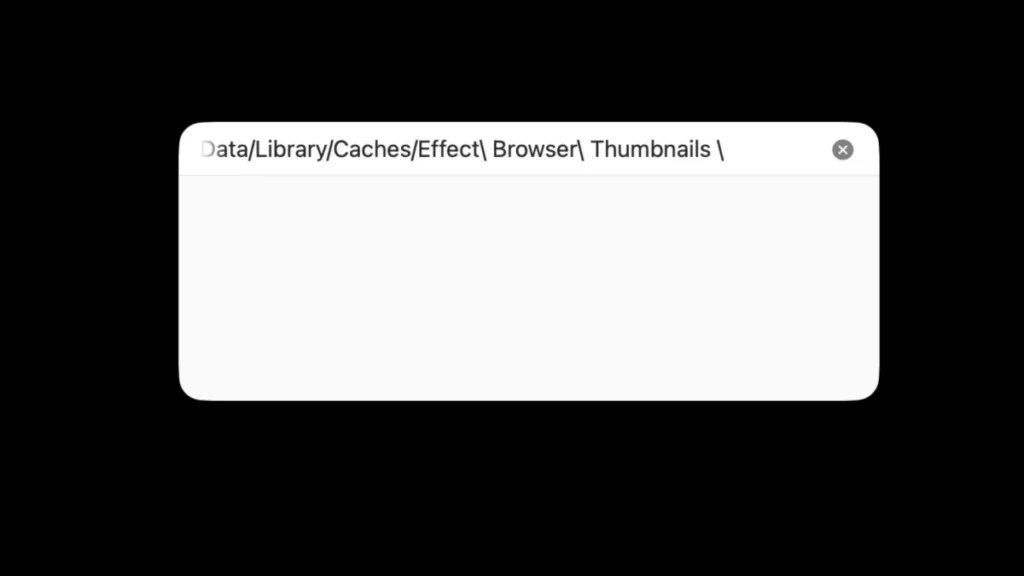
Location 1
~/Library/Containers/com.apple.FinalCut/Data/Library/Caches/Effect\ Browser\ Thumbnails \Location 2
~/Library/Containers/com.apple.FinalCutApp/Data/Library/Caches/Effect\ Browser\ Thumbnails \Location 3 – For Final Cut Pro’s trial version only
~/Library/Containers/com.apple.FinalCutTrial/Data/Library/Caches/Effect\ Browser\ ThumbnailsDelete cached Effect Browser Thumbnails via Terminal
Before you start, quit Final Cut Pro.
Then, copy this entire code snippet:
rm -rf ~/Library/Containers/com.apple.FinalCut/Data/Library/Caches/Effect\ Browser\ Thumbnails \
  ~/Library/Containers/com.apple.FinalCutApp/Data/Library/Caches/Effect\ Browser\ Thumbnails \
  ~/Library/Containers/com.apple.FinalCutTrial/Data/Library/Caches/Effect\ Browser\ Thumbnails
Paste it into terminal and press Enter. Terminal will ask you for permission. Click on allow.
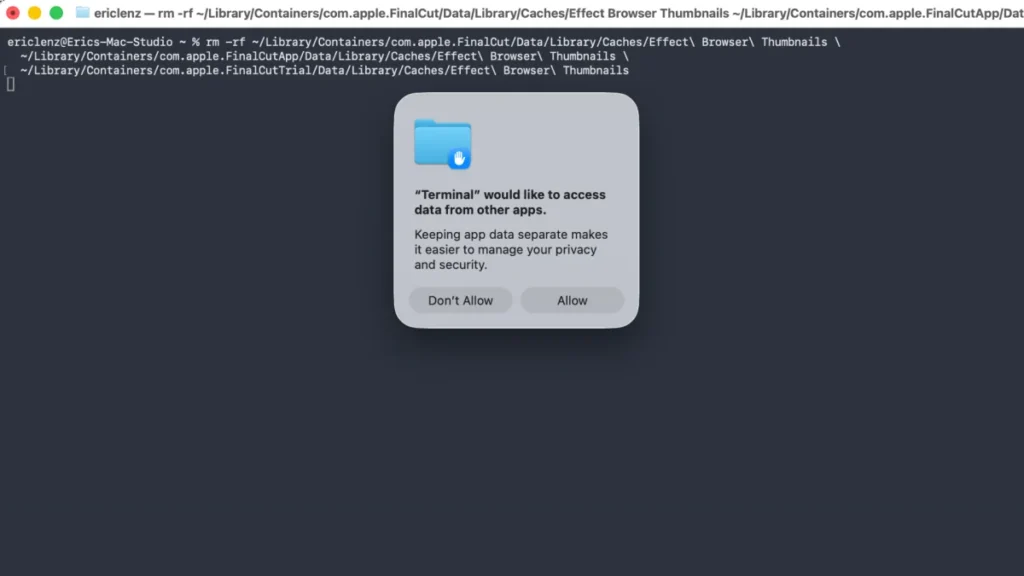
Start Final Cut Pro. Everything should work now.